Visual Vocabulary Builder: English Word Pairs
Reviews
Visual Vocabulary Builder excels at its core mission: helping learners associate English words with real-world images. The lack of timers removes stress, allowing thoughtful engagement. Difficulty ramps up gradually, so beginners never feel overwhelmed. Instant feedback keeps the learning loop tight. While it won't teach grammar or conversation, it is a solid tool for building a foundational vocabulary. The browser-based design means zero setup, making it easy to squeeze in a quick session anytime.
Description
Core Learning Approach
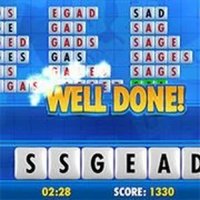
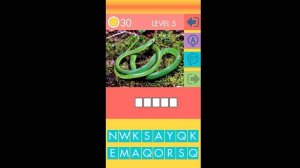
Visual Vocabulary Builder centers on connecting images with their corresponding English terms. Players view a photograph or illustration and then pick the correct word from a set of options. This direct association between visual cues and text helps reinforce memory in a natural way. The method works well for beginners who benefit from concrete examples rather than abstract definitions. Each correct selection provides positive reinforcement, while incorrect answers offer a chance to reconsider without penalty.
Round Structure and Feedback
Every round begins with a new image displayed prominently on screen. Below it, several word choices appear in a clear, readable format. After the player makes a selection, the game immediately indicates whether the answer was right or wrong. This quick feedback loop supports active learning by confirming knowledge or highlighting areas for review. Because there are no countdowns or timers, players can examine each image carefully and think through their response at their own speed.
Difficulty Progression
The puzzles start with common, everyday objects and simple phrases, then gradually introduce more advanced vocabulary. Early levels might feature items like a book or an apple, while later rounds include abstract concepts or compound words. This stepped approach allows learners to build confidence with basic terms before tackling harder material. The progression feels natural, as each new level builds on words introduced earlier. Players can repeat any level as many times as they wish to reinforce learning.
Accessibility and Convenience
The game runs entirely in a standard web browser, so no software installation or account creation is required. This makes it easy to start a quick practice session on any device with internet access. The interface uses large, clear text and high-contrast images to accommodate various visual needs. Family-friendly design means children, teens, and adults can all use the same tool without encountering inappropriate content. Short sessions of just a few minutes are effective, but longer study periods are equally supported.
Memory Retention Techniques
By pairing visual stimuli with textual labels, the game leverages dual-coding theory to improve recall. When a player sees a picture of a bicycle and selects the word bicycle, two mental representations are formed: one visual and one verbal. This dual encoding makes it easier to retrieve the word later. The absence of time pressure reduces anxiety, which further supports memory consolidation. Regular practice with the image-word pairs can help solidify vocabulary for real-world use.